If you build Laravel, PHP, WordPress, or Node.js projects on Windows, you already know the pain.
You install PHP. Then you need Nginx or Apache. Then MySQL or MariaDB. Then SSL. Then a .test domain. Then Composer. Then Node.js. Then Redis. Then Mailpit. Then you realize one project needs PHP 8.2 and another needs PHP 8.4.
At some point, “I just want to work on my app” turns into a full afternoon of fixing your local environment.
That is exactly the problem Larabox is built to solve.
Larabox is a native Windows local development environment for developers who want a clean, fast, full-featured stack without Docker complexity, manual service setup, or system-wide PATH problems. In short, it is a local development stack for Windows built for real Laravel, PHP, WordPress, and full-stack work.
What Is Larabox?
Larabox is a self-contained local development stack for Windows. It runs native Windows binaries and gives you one desktop app for the tools modern web projects usually need.
Instead of installing and wiring everything by hand, Larabox brings the stack together in one place:
- Nginx web server
- Multiple PHP versions
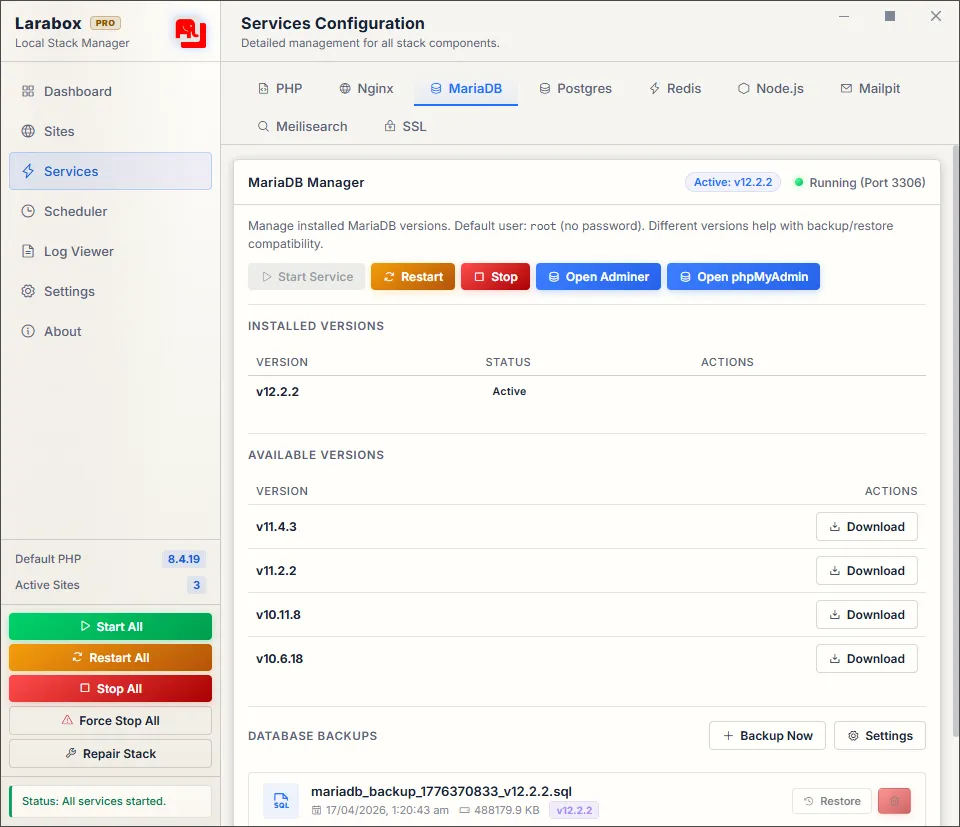
- MariaDB
- PostgreSQL
- phpMyAdmin
- Adminer
- Node.js manager
- Redis
- Mailpit for local email testing
- Meilisearch for local search testing
- One-click local SSL
- Automatic
.testdomains - Larabox Shell
- Smart PATH handling
- Database backups
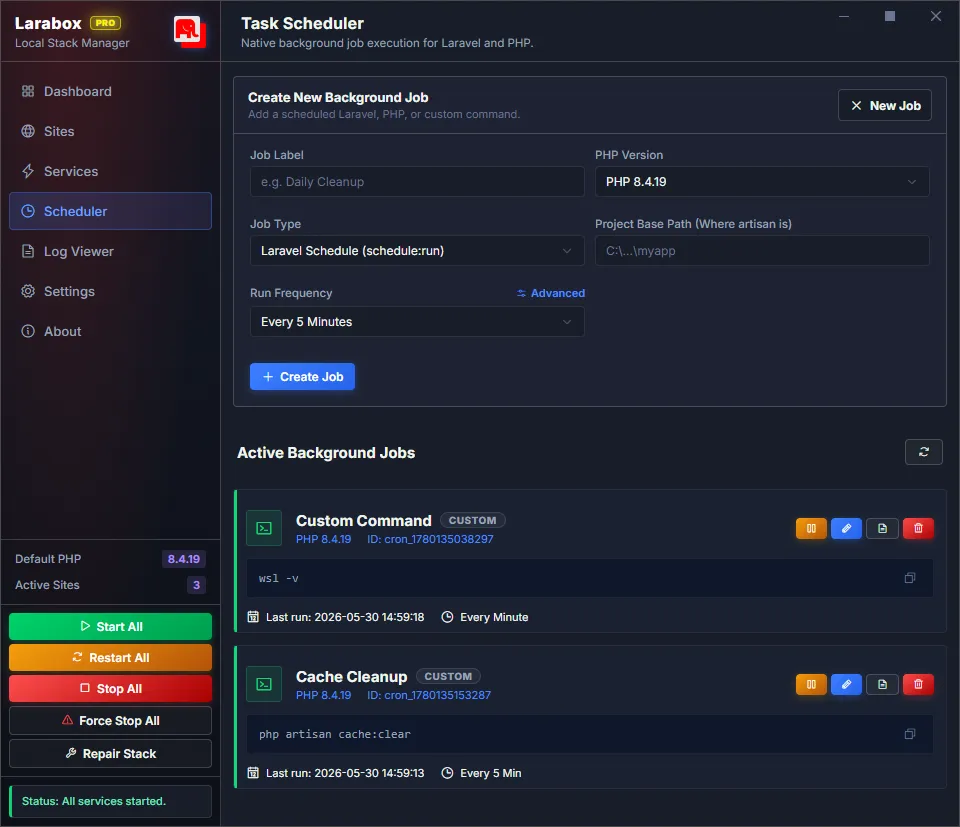
- Native task scheduler
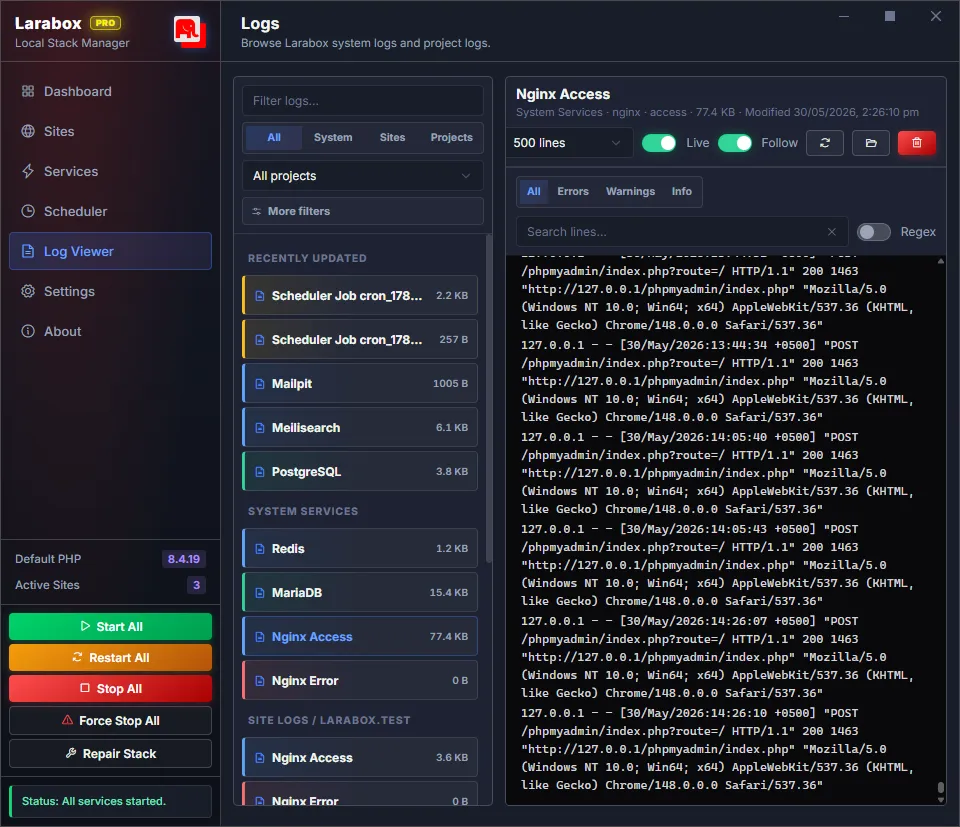
- Log Viewer in Larabox Pro
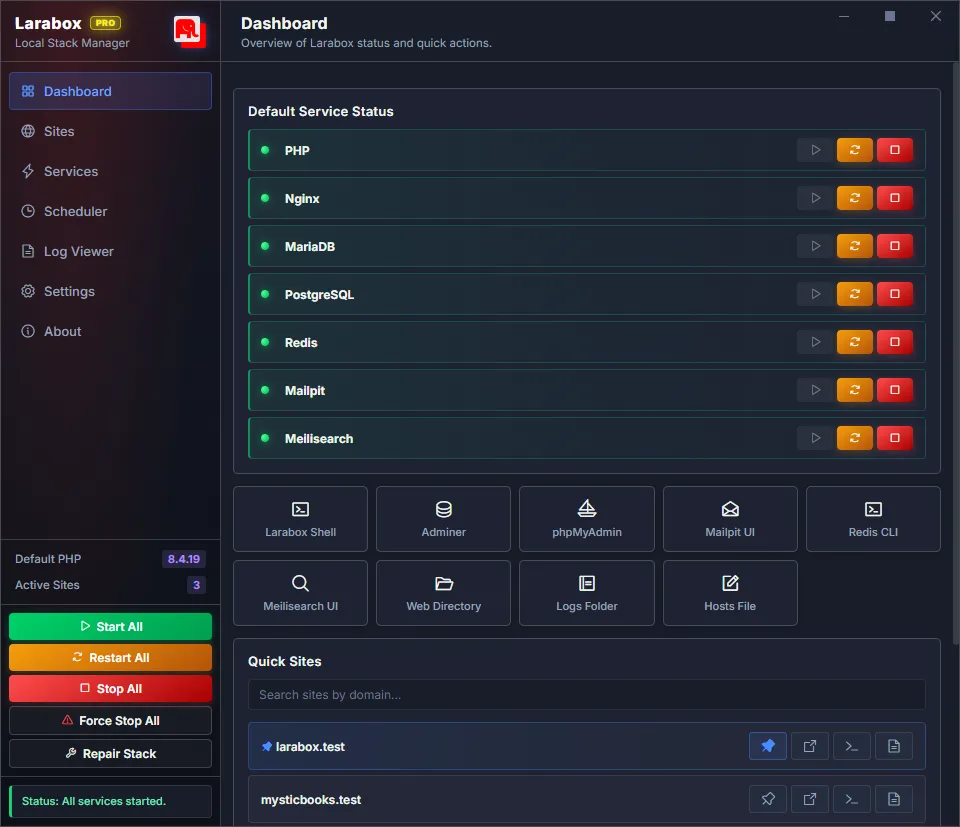
- Service management dashboard
The goal is simple: install Larabox, start the stack, add your project, and get back to building. If you want a local development stack for Windows that handles the boring setup work, Larabox is built for exactly that.
No virtual machines. No heavy container setup. No manually editing Nginx and hosts files every time you create a project.
Why Windows Developers Need Larabox
Windows has become much better for developers, but local PHP and Laravel development can still be messy.
XAMPP is simple, but it is limited for modern workflows. Docker is powerful, but it can be heavier than needed for everyday local development. Laravel Herd is polished, but it is more Laravel-focused. Laragon has been loved by Windows developers for years, but many developers now want a more modern app experience with more built-in tooling.
Larabox sits in the sweet spot for anyone searching for a local development stack for Windows that feels modern without becoming complicated.
It gives you a native Windows local development stack that is fast, practical, and broad enough for real projects: Laravel, WordPress, custom PHP apps, APIs, SaaS projects, queues, databases, email testing, search, scheduled jobs, and local HTTPS.
A Real Developer Control Center
Larabox is not just a “start server” button.
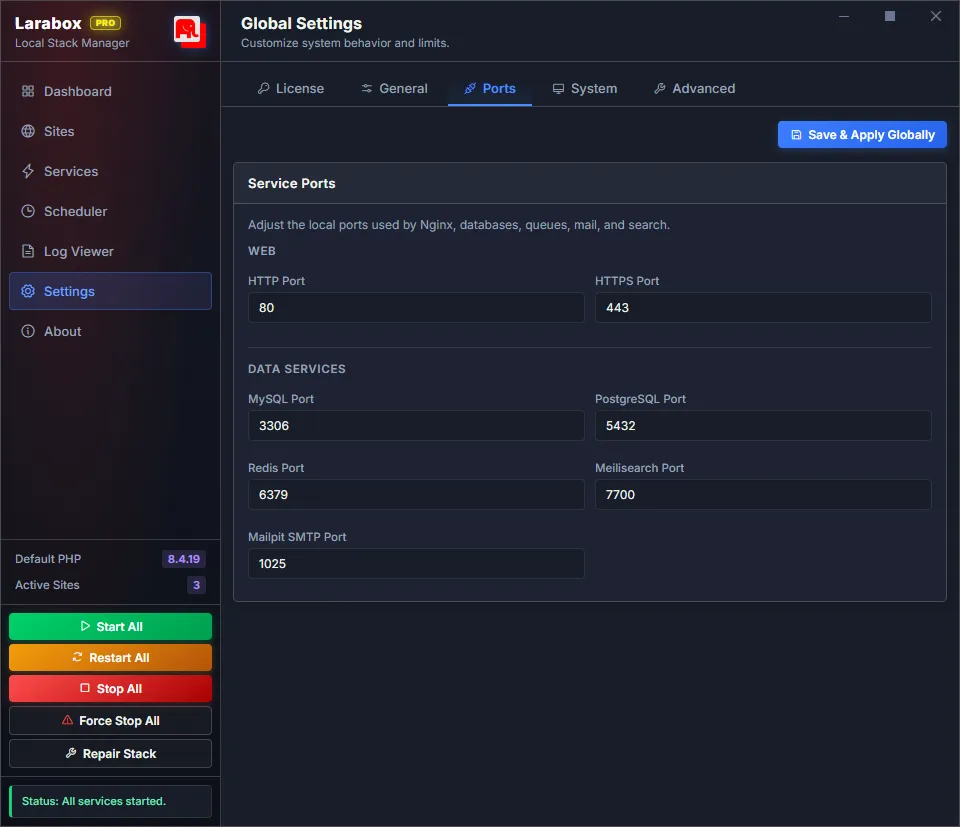
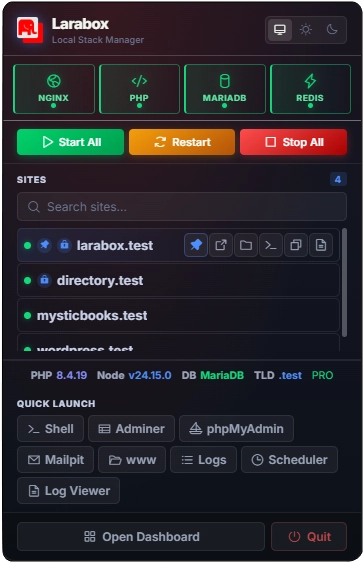
It is a local development control center. You can manage services, sites, PHP versions, databases, local domains, SSL, Node.js, Redis, Mailpit, Meilisearch, scheduled tasks, backups, and logs from one place.
For database work, Larabox includes both phpMyAdmin and Adminer. That means you can manage local MariaDB databases directly in the browser without installing a separate database GUI.
For Laravel and PHP workflows, the built-in Task Scheduler is especially useful. You can schedule recurring Laravel Artisan commands, PHP scripts, or shell commands without opening Windows Task Scheduler or building custom workarounds.
Larabox Pro also includes a Log Viewer, which makes it easier to inspect PHP errors, Nginx logs, service output, and debugging information without digging through folders manually.
That is the bigger advantage: Larabox is not only a stack. It is a cleaner way to run your local development life on Windows.
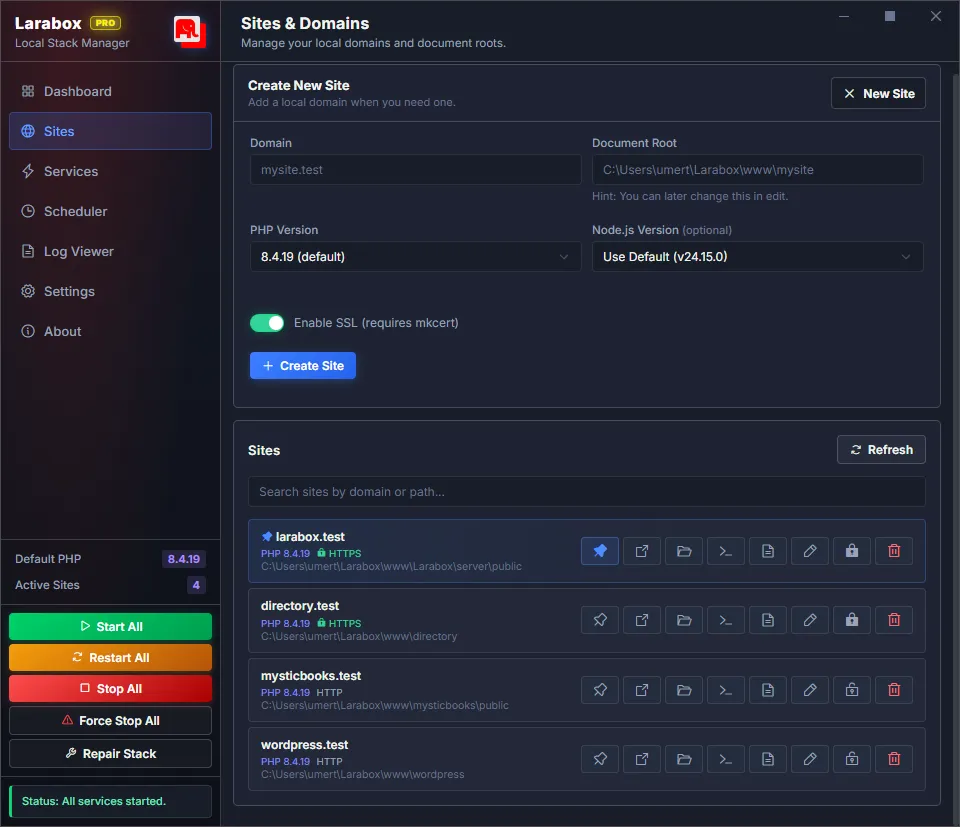
Automatic .test Domains
One of the most useful Larabox features is automatic site provisioning.
Drop a project folder into your Larabox workspace and Larabox can make it available through a local .test domain.
For example:
C:\Users\YourName\Larabox\www\my-app
can become:
https://my-app.test
This is perfect when you work on multiple Laravel, WordPress, or PHP projects. You do not have to manually create Nginx configs or update your hosts file every time.
Multiple PHP Versions Without the Mess
PHP version management is one of the biggest headaches in local development.
Some projects need PHP 8.1. New Laravel apps may need PHP 8.3 or PHP 8.4. Older WordPress plugins may require something else.
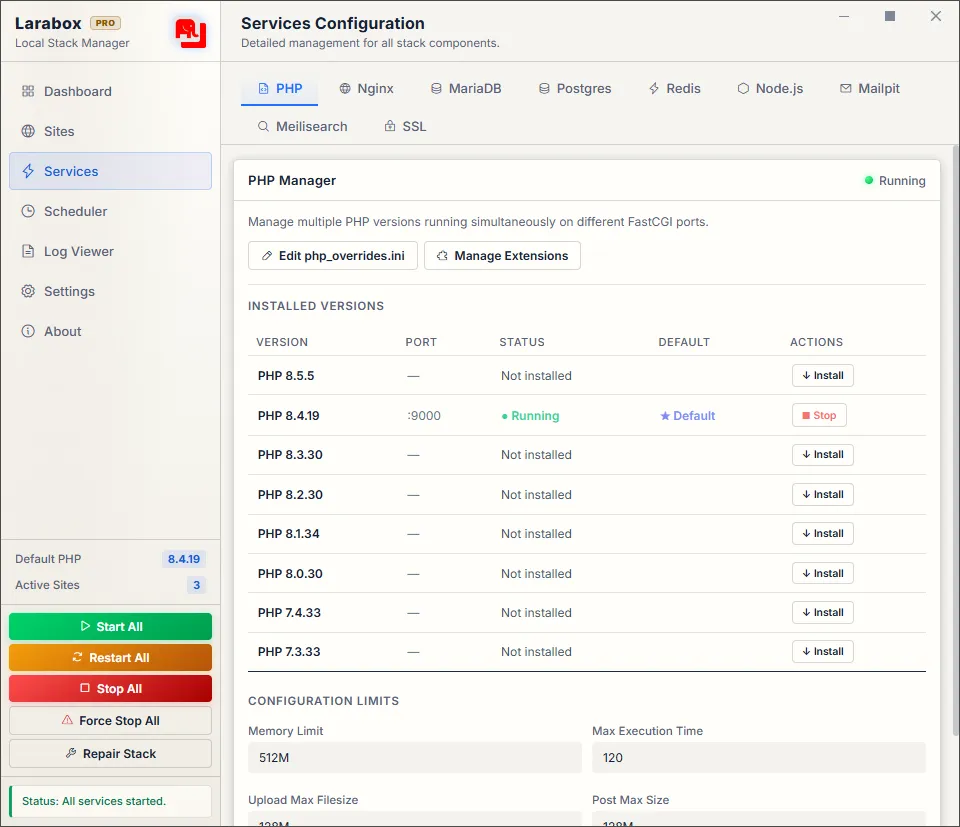
Larabox lets you run multiple PHP versions side by side, with isolated FastCGI processes and separate configuration. That makes it much easier to maintain old projects while still building new ones with the latest PHP versions.
Larabox Shell and Smart PATH Handling
PATH problems are common on Windows. You install PHP globally, then another tool installs a different PHP version, then Composer or Node.js points to the wrong executable.
Larabox avoids that mess with its own shell environment and smart PATH handling.
Inside the Larabox Shell, tools like php, mysql, composer, and npm can resolve to the Larabox-managed versions without forcing you to permanently pollute your global Windows PATH.
Your system stays cleaner, while your development environment still has everything it needs.
Built-In Databases, phpMyAdmin, and Adminer
Larabox supports both MariaDB and PostgreSQL, which makes it useful for more than basic PHP projects.
Many local stacks focus only on MySQL or MariaDB, but modern applications often use PostgreSQL too. Having both available makes Larabox a better fit for Laravel apps, SaaS products, APIs, dashboards, and database-heavy projects.
With phpMyAdmin and Adminer included, you also get browser-based database management without installing another app.
Local HTTPS Without the Headache
Local HTTPS is no longer optional for many projects.
If you test OAuth flows, secure cookies, payment integrations, webhooks, or browser APIs, you often need HTTPS locally.
Larabox includes one-click local SSL support, so you can work with trusted local certificates without manually generating files and wiring Nginx by hand.
Redis, Mailpit, and Meilisearch Included
Modern web applications often need more than a web server and database.
Larabox includes Redis for cache, sessions, and queues. It includes Mailpit for catching local emails. It includes Meilisearch for testing search-powered applications locally.
These are the kinds of tools developers usually add later when a project becomes real. Larabox gives them to you from the beginning.
Why Larabox Is More Than a XAMPP or Laragon Alternative
Larabox is often compared to XAMPP, Laragon, Docker, and Laravel Herd. That makes sense, but the better way to think about it is this:
Larabox is a complete Windows development control center.
It does not only run PHP. It helps you manage sites, PHP versions, databases, local domains, SSL, services, scheduled tasks, logs, Node.js, Redis, Mailpit, Meilisearch, phpMyAdmin, and Adminer from one place.
That makes it especially useful for developers working on real projects, not just tutorial examples.
Larabox vs XAMPP vs Docker vs Laravel Herd vs Laragon
| Feature | Larabox | XAMPP | Docker | Laravel Herd | Laragon |
|---|---|---|---|---|---|
| Native Windows app | Yes | Yes | No, container-based | Yes | Yes |
| Multiple PHP versions | Yes | Manual | Yes, with config | Yes | Yes |
| Nginx support | Yes | Mostly Apache-focused | Yes | Yes | Yes |
| MariaDB/MySQL | Yes | Yes | Yes | Extra setup | Yes |
| PostgreSQL | Yes | Manual | Yes | Extra setup | Manual |
| phpMyAdmin | Yes | Yes | Manual | No | Manual |
| Adminer | Yes | No | Manual | No | Manual |
| Redis | Yes | Manual | Yes | Extra setup | Manual |
| Mailpit/local email | Yes | Manual | Yes | Extra setup | Manual |
| Meilisearch | Yes | Manual | Yes | Extra setup | Manual |
| .test domains | Yes | Manual | Manual | Yes | Yes |
| One-click local SSL | Yes | Manual | Manual | Yes | Yes |
| Task scheduler | Yes | No | Manual | No | Manual |
| Built-in log viewer | Yes, in Pro | Limited/manual | CLI-based | Limited | Manual |
| Beginner friendly | Yes | Yes | No | Yes | Medium |
| Full-stack local tooling | Yes | Limited | Powerful but heavier | Laravel-focused | Flexible but manual |
Why Choose Larabox Over XAMPP?
XAMPP is simple, but it feels dated for modern PHP development. It is fine for learning PHP basics, but once you need multiple PHP versions, Nginx, Redis, Mailpit, PostgreSQL, SSL, scheduled tasks, and clean project routing, XAMPP starts to feel limited.
Larabox is built for modern web development workflows on Windows.
Why Choose Larabox Over Docker?
Docker is powerful, but not every local project needs containers.
For many developers, Docker adds extra layers: compose files, image builds, volume performance issues, networking, and container debugging. Larabox gives you a fast native Windows stack without needing to containerize every project.
If you want quick local development with less overhead, Larabox is easier to live with.
Why Choose Larabox Over Laravel Herd?
Laravel Herd is polished and useful, especially for Laravel developers.
Larabox aims to be broader. It includes more of the services many full-stack developers need: MariaDB, PostgreSQL, Redis, Mailpit, Meilisearch, Node.js management, phpMyAdmin, Adminer, backups, task scheduling, and log viewing.
If your workflow goes beyond simply serving Laravel apps, Larabox gives you more room.
Why Choose Larabox Over Laragon?
Laragon has been loved by many Windows developers for years.
Larabox takes the idea of a developer-friendly Windows stack and modernizes it with a native desktop app, stronger service management, isolated runtimes, smart PATH handling, built-in tooling, and a more complete modern web stack.
It is made for how Windows developers work now.
Who Should Use Larabox?
Larabox is a great fit for:
- Laravel developers on Windows
- WordPress developers
- PHP freelancers and agencies
- Full-stack developers
- Students learning web development
- Developers tired of XAMPP limitations
- Developers who want Docker-like capability without Docker complexity
- Anyone maintaining multiple projects with different PHP versions
Frequently Asked Questions
Is Larabox a Docker alternative?
Yes, for many local PHP and Laravel workflows. Larabox gives you a native Windows development stack without requiring containers, Docker Compose files, or image builds.
Does Larabox include phpMyAdmin?
Yes. Larabox includes phpMyAdmin integration, so you can manage local MariaDB databases through the browser.
Does Larabox include Adminer?
Yes. Larabox also includes Adminer, giving developers another lightweight database management option.
Can Larabox run Laravel scheduled tasks?
Yes. Larabox includes a native task scheduler for recurring Laravel Artisan commands, PHP scripts, and shell commands.
Does Larabox have a log viewer?
Yes. Larabox Pro includes a Log Viewer for inspecting service logs, PHP errors, Nginx output, and debugging information more easily.
Related Bytepie Guides
If you are improving your local development workflow, you may also like these Bytepie guides:
- How to Create and Trust a Self-Signed SSL Certificate for Local Development
- How to Add a New Column to an Existing Table in Laravel
- How to Run a Local Website on Mobile Devices in the Same Network
Final Thoughts
A good local development stack should stay out of your way.
You should not have to think about service configs, broken PATH variables, missing PHP extensions, SSL certificates, database setup, email testing, queues, scheduled tasks, or log files every time you start a project.
Larabox gives Windows developers a modern, native, full-featured local development environment that is fast, practical, and easy to use.
If you are building Laravel, PHP, WordPress, or full-stack web projects on Windows, Larabox is one of the best local development tools to try. It gives you a practical local development stack for Windows without the usual setup friction.
Download Larabox here: https://larabox.org/